
Looking to improve your posture while working long hours at your office desk? Look no further! Our Buyer’s Guide to Ergonomic Office Furniture for Better Posture provides expert advice and recommendations on finding the perfect ergonomic office furniture to support your spine and promote a healthier, more comfortable work environment. From adjustable chairs to standing desks, discover the best options to enhance your posture, reduce back pain, and increase productivity throughout the day. Say goodbye to slouching and hello to a more ergonomic and comfortable work experience.
Understanding Ergonomics
What is ergonomics?
Ergonomics is the science of designing and arranging objects to fit the needs and capabilities of the human body. When applied to office furniture, ergonomics focuses on creating a work environment that promotes comfort, productivity, and overall well-being. By taking into consideration factors such as posture, movement, and the prevention of musculoskeletal disorders, ergonomic office furniture aims to optimize your physical and mental health during long hours of work.
Why is ergonomic office furniture important for posture?
Maintaining good posture is crucial for reducing the risk of developing musculoskeletal disorders, such as back pain, neck strain, and repetitive strain injuries. When you spend prolonged periods sitting at a desk, using traditional office furniture that does not support proper alignment can lead to discomfort and long-term health issues. Ergonomic office furniture, on the other hand, is designed to promote natural body positions and provide support where needed, reducing the strain on your muscles and joints. Investing in ergonomic office furniture is an investment in your posture and overall well-being.
Ergonomic Office Chair
Adjustable seat height
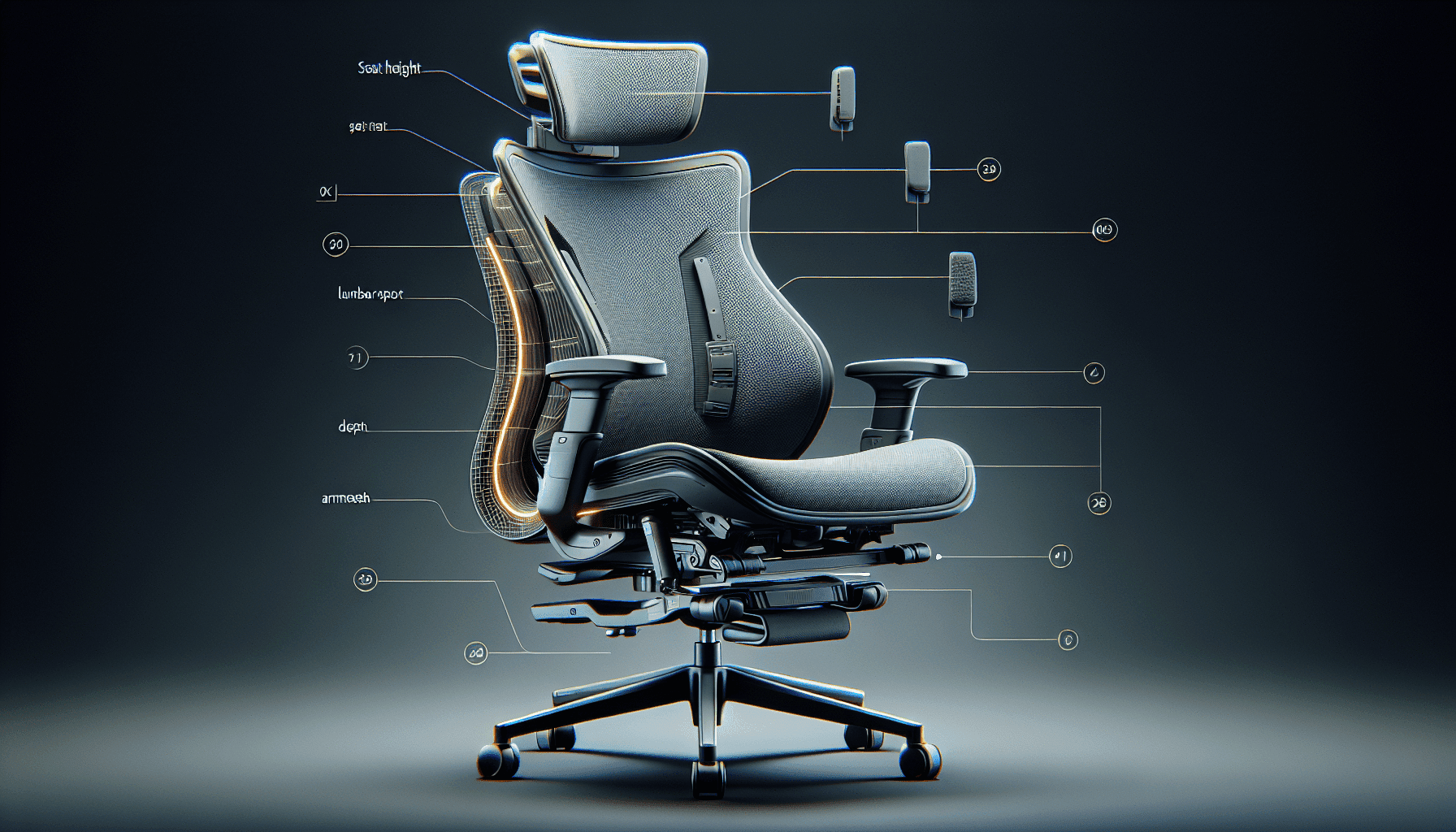
An ergonomic office chair should offer adjustable seat height to accommodate individuals of different heights. Being able to adjust the seat height allows you to position your feet flat on the floor, maintaining a 90-degree angle at your knees. This helps to distribute your weight evenly and reduce the strain on your lower back.
Lumbar support
Proper lumbar support is essential for maintaining the natural curve of your lower spine. An ergonomic office chair should have a contoured backrest that provides adequate lumbar support, reducing the risk of lower back pain and promoting better posture.
Adjustable armrests
Adjustable armrests allow you to position your arms at a comfortable height, promoting a relaxed position for your shoulders and preventing strain on your neck and upper back. Look for armrests that can be adjusted in height, width, and angle to suit your personal preference.
Seat depth adjustment
The seat depth of an ergonomic office chair should be adjustable to accommodate individuals with different leg lengths. By allowing you to adjust the seat depth, you can ensure that your thighs are fully supported without placing pressure on the back of your knees.
Tilt mechanism
A tilt mechanism in an ergonomic office chair allows you to recline the backrest and lock it in a position that suits your comfort. This helps to reduce the pressure on your spine and distribute your body weight more evenly.
Breathable and supportive backrest material
Look for an ergonomic office chair with a backrest material that is breathable and supportive. Mesh or fabric backrests are popular choices as they provide ventilation while conforming to the natural contours of your back, promoting comfort and preventing sweating.
Ergonomic Desk
Appropriate desk height
The height of your desk plays a crucial role in maintaining proper posture and reducing strain on your neck and shoulders. An ergonomic desk should allow you to position your arms comfortably at a 90-degree angle while keeping your wrists straight. Adjustable desks are a great option as they can be easily adapted to your specific height requirements.
Adjustable features
In addition to adjustable desk height, consider desks that offer other adjustable features such as tilt or angle adjustment. These features allow you to customize your desk to fit your specific comfort needs and promote good posture throughout the day.
Sufficient workspace
An ergonomic desk should provide ample workspace to accommodate your computer, monitors, documents, and other essential tools. Having enough space to organize and arrange your work materials not only promotes efficiency but also prevents clutter and strain on your body.
Built-in cable management
Cable management is an often overlooked but important feature of an ergonomic desk. Keeping cables organized and out of the way prevents tripping hazards and provides a tidy and clutter-free workspace. Look for desks with built-in cable management systems to ensure a clean and safe work environment.
Ergonomic keyboard tray
Using a keyboard tray that is properly positioned can make a significant difference in reducing strain on your wrists and promoting neutral hand positions. An ergonomic keyboard tray should allow you to adjust its height, tilt, and distance from your body, ensuring optimal keyboarding posture and minimizing the risk of developing repetitive strain injuries.
Ergonomic Keyboard and Mouse
Split or contoured keyboard
A split or contoured keyboard design helps to keep your wrists in a more natural position, reducing strain on the muscles and tendons. This design allows you to position your hands comfortably, preventing awkward bending and unnecessary pressure on your wrists.
Adjustable keyboard tilt
An adjustable keyboard tilt feature ensures that your keyboard is sloped at the optimal angle to promote a neutral wrist position. Being able to adjust the tilt of your keyboard allows you to find the most comfortable and ergonomic position for your wrists and hands.
Comfortable wrist rest
A wrist rest that provides adequate support and cushioning can help reduce the strain on your wrists and forearms. Look for a wrist rest made of a soft and comfortable material that prevents unnecessary pressure points.
Ergonomic mouse design
An ergonomic mouse design is crucial in reducing hand and wrist strain during prolonged computer use. Look for a mouse that fits comfortably in your hand and provides support for the natural contours of your hand, reducing the risk of developing repetitive strain injuries.
Programmable mouse buttons
Programmable mouse buttons allow you to customize the functions of your mouse to fit your specific needs and preferences. This feature can greatly improve productivity and reduce repetitive movements that may contribute to muscle strain and discomfort.
Monitor Placement
Ergonomic monitor stands
Using an ergonomic monitor stand allows you to adjust the height of your monitor to ensure it is at eye level. This prevents neck strain and allows for a more comfortable viewing experience. Look for stands that offer height adjustability and stability to support your monitor securely.
Proper monitor position at eye level
Positioning your monitor at eye level helps to maintain good posture and prevents unnecessary strain on your neck and upper back. Your eyes should be level with the top of the monitor, allowing you to look straight ahead without tilting your head up or down.
Optimal viewing distance
To reduce eye strain and promote a comfortable viewing experience, the optimal distance between your eyes and the monitor is typically around 20 inches. Adjust the distance according to your personal comfort, ensuring that you can read the screen without straining your eyes or extending your neck forward.
Anti-glare screen
An anti-glare screen reduces the reflection and glare from external light sources, making it easier to read and view your monitor without squinting or straining your eyes. Using an anti-glare screen protector or choosing a monitor with built-in anti-glare coating can help improve visibility and reduce eye fatigue.
Footrest
Support for proper foot position
A footrest provides support for your feet, ensuring that your legs are in a comfortable and ergonomic position while sitting. It helps to reduce pressure on your lower back and improve blood circulation in your legs. Look for a footrest that allows you to adjust its height and angle to match your sitting position.
Adjustable height
An adjustable footrest allows you to find the ideal height that supports your feet comfortably. Ensuring that your feet are flat on the footrest and the knees are bent at a 90-degree angle can help maintain proper sitting posture and reduce strain on your lower back.
Non-slip surface
A non-slip surface on the footrest prevents your feet from sliding or slipping, ensuring stability and allowing you to maintain a comfortable position throughout the day. Look for footrests with textured or rubberized surfaces to provide a secure grip for your feet.
Standing Desk
Height adjustability
The ability to adjust the height of a standing desk is essential for finding the most comfortable and ergonomic position for various tasks. You should be able to set the desk at a height where your arms are at a 90-degree angle, allowing for proper typing and writing posture.
Sturdy construction
A standing desk should be sturdy and stable to support the weight of your computer equipment and any other items you may have on the desk. Look for desks made of durable materials and with reinforced legs or frames to ensure stability and prevent wobbling or shaking during use.
Ample workspace
A standing desk should provide ample workspace to accommodate your computer, monitor(s), keyboard, mouse, and other necessary items. Having enough room to work and organize your materials in a standing position promotes productivity and prevents clutter.
Anti-fatigue mat
Using an anti-fatigue mat in conjunction with a standing desk helps to reduce discomfort and fatigue caused by prolonged standing. An anti-fatigue mat provides cushioning and support for your feet, legs, and joints, allowing you to stand for longer periods with reduced strain on your body.
Additional Ergonomic Accessories
Ergonomic chair cushion
An ergonomic chair cushion can provide additional support and comfort for your back and buttocks. Look for cushions made of high-quality foam that provide the right amount of firmness and contour to your body shape, preventing pressure points and promoting better posture.
Posture correctors
Posture correctors are devices that remind you to maintain good posture throughout the day. They can be worn on your back, shoulders, or even finger, and provide gentle reminders or support to help you improve and maintain proper alignment. Consider using a posture corrector if you find yourself frequently slouching or experiencing discomfort due to poor posture.
Ergonomic desk accessories
There are various desk accessories available that can enhance the ergonomic qualities of your workspace. These may include monitor risers, document holders, and cable management solutions. By incorporating these accessories into your setup, you can further optimize your working conditions and minimize strain on your body.
Back support pillows
Back support pillows are designed to provide extra support and cushioning for your lower back. They can be used on chairs, car seats, or even placed on your office chair to promote better spinal alignment and reduce the risk of back pain. Look for pillows made of memory foam or other supportive materials to ensure maximum comfort and effectiveness.
Wearable devices for posture tracking
Wearable devices such as smartwatches or posture trackers can help you monitor your posture throughout the day. These devices use sensors or cameras to detect your body position and provide real-time feedback, reminding you to adjust your posture when needed. By regularly monitoring your posture, you can develop better habits and improve your overall posture over time.
Considerations for Purchasing
Budget
Before purchasing ergonomic office furniture, it’s essential to establish a budget. While investing in high-quality ergonomic furniture can offer long-term benefits, it’s crucial to find a balance between affordability and quality. Research different brands and models to determine which options fit within your budget while still providing the necessary features for optimum ergonomics.
Available space
Consider the available space in your office or workspace when choosing ergonomic furniture. Measure the dimensions of your room and ensure that the furniture you select will fit comfortably without causing clutter or hindering mobility. Take into account not only the size of the furniture but also its range of adjustability to best optimize your workspace.
Quality and durability
Ergonomic office furniture is an investment, so it’s essential to prioritize quality and durability. Research different brands and read customer reviews to ensure that the furniture you choose is built to last. Look for warranties or guarantees that support the manufacturer’s confidence in their products.
User requirements
Consider your specific needs and preferences when selecting ergonomic office furniture. Take into account factors such as height, weight, and any existing medical conditions that may require additional support or accommodations. Choose furniture that can be customized to fit your unique requirements, allowing for maximum comfort and effectiveness.
Warranty and customer reviews
Before making a final purchasing decision, check the warranty provided by the manufacturer. A reliable warranty indicates the manufacturer’s confidence in the quality and durability of their products. Additionally, read customer reviews to gain insight into the experiences of others who have purchased the same or similar furniture. Reviews can provide valuable information about the furniture’s reliability, comfort, and overall satisfaction.
Testing and Trying the Furniture
Physical examination
Whenever possible, physically examine and try out the ergonomic furniture before making a purchase. Visit showrooms or stores that display the furniture you are interested in and spend time sitting, adjusting, and evaluating the different features. Testing the furniture allows you to assess its comfort, adjustability, and overall suitability for your needs.
Sitting and adjusting positions
While trying out the furniture, pay attention to your sitting posture and how easy it is to adjust the different features. Experiment with different positions and adjustments to determine the most comfortable and supportive configurations. Look for furniture that offers intuitive controls and easy adjustability, as this will enhance your overall experience.
Comfort and support evaluation
During your evaluation, focus on the comfort and support provided by the furniture. Assess how well the chairs, desks, and accessories align with your body’s natural curves and promote proper posture. If a piece of furniture causes discomfort or does not adequately support your body, it may not be the best choice for long-term use.
Evaluating user-friendly features
Consider the user-friendly features of the furniture, such as ease of adjustment, intuitive controls, and customization options. Pay attention to how accessible and convenient these features are, as they can greatly impact your overall experience and long-term satisfaction. Look for furniture that offers a balance between user-friendliness and functionality.